16x16 Pixel Art Maker
Draw on a 16×16 grid, or turn any picture into 16x16 pixel art. Free, in your browser, with nothing to install.
Untitled drawing
16 × 16 pixels · 0 colors
Pencil. Click or drag to draw. Right-click erases. Shift-click draws a straight line from the last point.
Drop an image here
or paste one with Ctrl+V
PNG, JPG, WebP, GIF or SVG
No image handy? Try a sample:
100% private: your images are processed in your browser and never uploaded.

How to make 16x16 pixel art
With only 256 squares, every pixel counts. This order of work keeps the drawing readable.
- 1
Block in the silhouette
Fill the overall shape with one flat color. If you can tell what it is from the shape alone, the rest will work.
- 2
Add an outline
Trace the edge in a dark color, one pixel thick. Turn on mirror drawing for faces, hearts and anything else that is symmetrical.
- 3
Shade and highlight
Add a darker shade on one side and a few light pixels on the other, as if the light came from the top left.
- 4
Download it
Save it as a PNG at 16×16 for games and favicons, or scaled up for sharing, with grid lines if you want to follow it on paper.
What 16x16 pixel art is used for
16×16 is one of the most common sizes in pixel art, for good reasons.
Minecraft-style textures
Minecraft’s default textures are 16×16, so blocks, items and resource pack art are usually drawn at this size.
Game items and tiles
Coins, potions, swords and floor tiles in retro-style games. Many 8-bit era characters were 16×16 too.
Favicons and app icons
The icon in a browser tab is shown at 16×16 on most screens, so drawing it pixel by pixel keeps it sharp.
Emoji and stickers
Simple faces, hearts and symbols for chat, streams and profile pages.
Perler beads and cross-stitch
A 16×16 design fits on one standard square pegboard. In cross-stitch it is about 2.9 cm (1.1 in) wide on 14-count Aida.
Learning pixel art
Small enough to finish in one sitting, which makes it the best size to practice shapes, outlines and shading.
Tips for drawing at 16×16
What works at large sizes often falls apart at 16 pixels. Keep these in mind.
- 01
Use few colors
Four to eight colors are plenty. Each new color needs room to be seen, and at 16×16 there isn’t much.
- 02
Make the eyes big
Faces read from the eyes. Two pixels wide or two pixels tall each is a good start, with nothing else in the face competing.
- 03
Exaggerate the shape
Big heads, short legs, chunky handles. Thin parts disappear at this size, so make them thicker than real life.
- 04
Avoid stray single pixels
A lone pixel of a different color looks like noise. Group colors into clean clusters.
- 05
Check it at actual size
Zoom out now and then. A drawing has to work at 16 pixels, not just magnified on screen.
- 06
Leave a pixel of space
Keep the edges of the canvas free so the outline isn’t cut off when the art sits next to other sprites.
Blank 16x16 grid to print or download
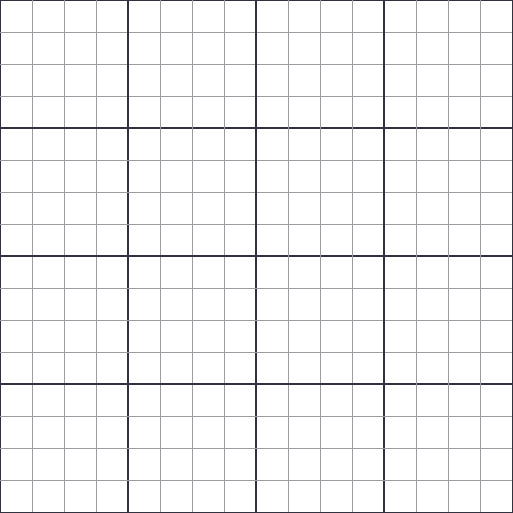
Prefer paper? Print the blank 16×16 grid, with numbered rows and columns and a darker line every 4 squares. The transparent PNG works as an overlay in any drawing app.
16x16 vs 32x32 vs 64x64: which size to pick
Smaller canvases are quicker to finish and easier to read. Bigger ones fit more detail but take much longer to fill.
| Size | Good for |
|---|---|
| 8×8 | Tiny icons, map markers and very simple game items. |
| 16×16 | Items, tiles, emoji-style faces, Minecraft-style textures and favicons. The classic size for beginners. |
| 32×32 | Game characters with a readable face, detailed items, avatars and Animal Crossing designs. |
| 64×64 | Portraits, bigger sprites and scenes with a background. |
| 128×128 | Detailed portraits and illustrations. Many hours of work by hand. |
16x16 pixel art FAQ
How do I make 16x16 pixel art online?
Use the maker at the top of this page. It opens on a blank 16×16 canvas: pick a color, click or tap squares to fill them, and download your art as a PNG when you are done. Your drawing is saved in your browser, so you can close the page and come back to it.
Can I turn a picture into 16x16 pixel art?
Yes. Open the “Convert a picture to 16×16” tab and upload a photo or drawing. The converter crops it to a square, shrinks it to 16×16 and reduces the colors. You can move the crop, change the number of colors or pick a palette, then press “Edit pixels” to clean it up by hand.
How many colors should 16x16 pixel art have?
Usually between 4 and 16. Simple icons look best with 4 to 8 colors. The converter starts at 12 colors on this page, and you can change that in its settings.
Is 16x16 or 32x32 better for pixel art?
16×16 is quicker and forgiving, which is ideal for items, icons and your first sprites. 32×32 has four times as many pixels, which gives a character room for a face, clothes and a pose. If you are just starting, begin at 16×16.
How big is 16x16 pixel art when I download it?
You can download it at its real size (16 by 16 pixels, for games and favicons) or scaled up so each pixel becomes a crisp square, up to 64 times larger. Scaled up versions can include grid lines.
Can I use the templates in my own projects?
Yes. The templates on this page were drawn for this site and you are free to use and change them, including in games and crafts you make.
Is it free? Are my pictures uploaded?
It is free, with no account and no watermark. Everything runs in your browser: pictures you convert and drawings you make never leave your device.